
HelloFax is now Dropbox Fax, and it has a clear place in the online fax world: cloud faxing for people who want a polished document workflow. It can be useful if you send and receive faxes, work from cloud storage, manage a fax number, or want faxing to sit next to signing and document tools.
But not every fax task needs that much structure.
Sometimes you have one PDF, one destination fax number, and one deadline. You do not need a new document platform. You do not need a team workflow. You do not need to receive faxes every month. You just need to send the file.
That is when a one-time fax service can be a better fit.
The simple distinction
Dropbox Fax is a broader online fax product. It is built around cloud access, sending, receiving, fax numbers, and integrations.
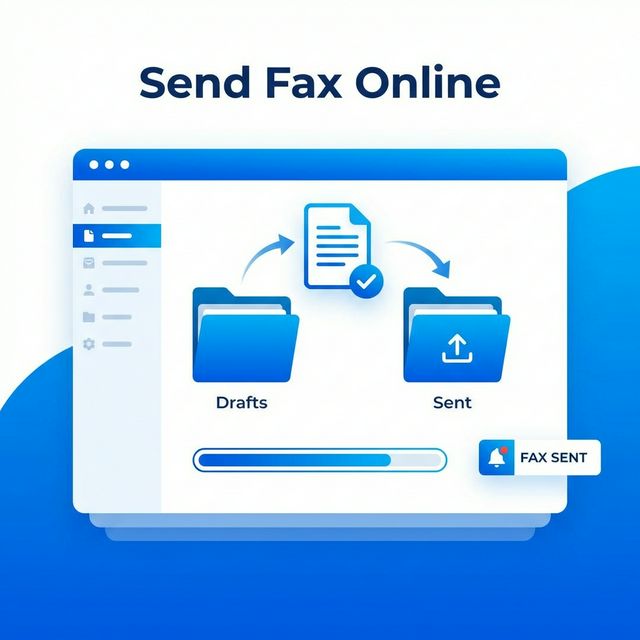
A one-time fax service is narrower. It is built around the occasional outbound send:
- Upload a PDF
- Enter the destination fax number
- Review the page cost
- Send without a monthly fax plan
Neither approach is automatically better. They solve different problems.
When Dropbox Fax makes sense
Dropbox Fax can make sense if you:
- Want to send and receive faxes online
- Need a fax number
- Work heavily from Dropbox, Google Drive, Box, or similar storage
- Want faxing connected to signing or document workflows
- Need multiple users or repeat faxing
- Expect faxing to remain part of your work
For a business that receives forms, approvals, and signed documents every week, a cloud fax product can be very useful. The inbox matters. The fax number matters. The integrations matter.
When a one-time alternative makes more sense
A one-time fax service is usually better if you:
- Only need to send one PDF
- Do not need to receive faxes
- Do not need a dedicated fax number
- Do not want a recurring fax plan
- Do not want to connect cloud storage
- Prefer a direct upload-and-send flow
This is the common personal paperwork scenario. You are not building a fax process. You are getting through one requirement.
A realistic example
Imagine you are applying for a license renewal. The agency accepts mail or fax, and fax is faster. You have the completed PDF on your laptop. The form includes your signature and two supporting pages.
You do not need a fax number. You do not need to receive anything by fax. You do not need your cloud drive connected. You just need the PDF delivered to the agency's fax line.
That is a good one-time fax case.
Now imagine a small office that receives signed forms from clients every day. They need a number printed on their website. They need incoming faxes to arrive in email. They may need team access. That is not a one-time fax case. That is a cloud fax workflow.
The right product depends on which story sounds like yours.
Dropbox Fax vs one-time fax
| Need | Dropbox Fax / HelloFax-style workflow | One-time fax service |
|---|---|---|
| Send one PDF today | Works | Designed for this |
| Receive incoming faxes | Better fit | Usually not included |
| Dedicated fax number | Better fit | Usually not included |
| Cloud storage integrations | Better fit | Not necessary |
| No monthly fax plan | Depends on plan and usage | Core idea |
| Occasional personal documents | May be more than needed | Better fit |
| Office fax workflow | Better fit | Not the main use case |
Why "one-time" matters
Fax is unusual because many people do not need it until a specific organization asks for it. You may go years without faxing anything, then suddenly need to send a signed PDF to a government office, medical billing department, insurer, school, or bank.
In that moment, you are not shopping for a long-term platform. You are trying to avoid printing pages, finding a fax machine, or signing up for a subscription you will forget to cancel.
That is why one-time faxing should be explained honestly. It is not a full replacement for cloud fax software. It is a practical path for occasional outbound documents.
How Send Fax Online fits
Send Fax Online is focused on outbound PDF faxing. You upload the PDF from your computer or phone, choose the destination country, enter the fax number, and review the page-based credit cost before sending.
It is a good fit when:
- The recipient gave you a fax number
- You already have the document as a PDF
- You only need to send, not receive
- You want to avoid a monthly fax subscription
- You want the workflow to stay simple
Start with Send Fax if the file is ready, or check pricing if you are comparing options.
What to check before using any fax service
Before you choose a Dropbox Fax alternative, check:
- Does the service support your file type?
- Is your document within the upload size limit?
- Can it send to the recipient country?
- Does it provide delivery status?
- Does the product require a subscription?
- Is it meant for sending only, or sending and receiving?
- How are uploaded files handled after sending?
For a formal document, also make sure the PDF is readable. Open it at 100 percent zoom, check that signatures are visible, and remove unnecessary pages.
FAQ
Is HelloFax the same as Dropbox Fax?
HelloFax is now known as Dropbox Fax. Some people still search for the older name, especially when comparing online fax services.
Is Send Fax Online a complete Dropbox Fax replacement?
No. It is not meant to replace a cloud fax inbox, fax number, or team workflow. It is a simpler option for occasional outbound PDF faxing.
Can I fax without using cloud storage?
Yes. If your PDF is on your computer or phone, you can upload it directly through a browser.
Do I need to receive faxes?
If you need incoming faxes, choose a service with a dedicated fax number. If you only need to send a document, a one-time fax service may be enough.
Can I fax from my phone?
Yes, as long as the PDF is accessible on your phone and the website works in a mobile browser.
Bottom line
Dropbox Fax is useful when faxing is part of a broader document workflow. A one-time fax service is better when you have one PDF and one recipient fax number.
If you only need to send a document, review pricing, read how to send a fax online, or send your PDF fax now.